|
|


 |
"Final Render"
QuicktimeMovie (864K) |
|
Example.39: |
Spirograph Style Animation
(AE5.5 PRO) |

 |
"Circle"
View Screen |
|


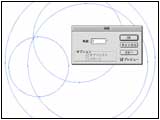
Drawing by Illustrator
It is introduction of the Animation of "Spiro Graph" style.
First, Draw The Figure by Illustrator.
Apply Animation on AfterEffects.
Draw Four Circle on Illustrator.
Copy with "Rotate Tool".
(The size of the largest circle is created by 800x800)
* About "Spiro Graph"..
http://www.wordsmith.org/~anu/java/spirograph.html
Strictly, My figure is not "Spiro graph." |

 |
"Rotation Figure"
View Screen |
|


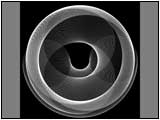
Completion of a rotation figure
"Rotation" copy of STEP1
Repeat until it is made a smooth curve.
* Shortcut "command +D" (Mac)
When completing, Set Line width to "0.1"
Set Line Color to "white" and Set Fill to "Nothing."
Save Illustrator File. |


 |
"Rotation"
QuicktimeMovie (628K) |
|


Rotate Animation
Import the Illustrator file to After Effects.
Put into a New Composition.
(Composition size is 800x800)
Apply Rotate Animation.
It is made to go around in 5 seconds so that a loop can be carried out.
|

 |
"Alpha Matte"
QuicktimeMovie (127K) |
|


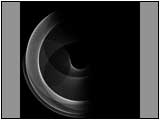
Alpha Matte
Since it is too simple only by the Animation of STEP3
Add The Rotate Animation of Sector Alpha.
Put the Material of STEP3 into a New Composition.
Create a New Solid.
Apply Effect > Transition > Radial Wipe.
Apply Animation which rotates conversely STEP3.
Select the Layer of STEP3.
Apply "Alpha Matte"
 |
View Timeline Window
|
|

 |
"3D space"
QuicktimeMovie (259K) |
|


It is arrangement into 3D space
Put The Material of STEP4 into a New Composition (640x480).
Turn on "3D Layer Switch" and Adjust Angle.
Create a new camera
Set Camera Lens to "15mm"
 |
View Timeline Window
|
|

 |
"Glow"
QuicktimeMovie (487K) |
|


Glow
Put The Material of STEP5 into a New Composition (640x480).
Apply Effect > Stylize > Glow.
In the procedure of STEP 3-6
Create Some kinds of Animation which Motion and Color differ.
 |
View Effect Control Window
"Glow" |
|

 |
"Final Render"
QuicktimeMovie (864K) |
|


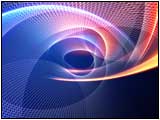
Completion
It will complete if each Material is composed.
Use The gradation background.
Apply "Add" and a "Hard light".
Apply Various Transfer Modes.
Apply a trial-and-error method each one.
 |
View Large Picture
"640x480" |
|
|
|