Adobe After Effects CS5 (10.0.2.4)
Resolution: 640x480
Third-Party AE Plugins: - Knoll Light Factory
Third-Party Footages:
- No Use
Preparation of a character Material
Create A character Material.
Apply "Basic Text".
You may create using Illustrator and Photoshop.
Creation of Flare 1
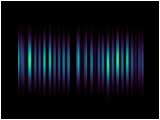
Create Flare of the direction of length.
Put The Material of STEP1 into a New Composition.
Apply Effect > Stylize > Glow.
Use "Arbitrary map" for color adjustment this time.
* The usage of "Arbitrary map"
Please refer to the manual of Photoshop.
View Effect Controls Window
"Glow"
Creation of Flare 2
Create Flare using "Glow" as STEP2
Create Four all including "Slant Version"
Glow of a character
Create Glow of the main character.
Sets up so that it go to a red system from a yellow system.
View Effect Controls Window
"Glow"
"Final Render"
QuicktimeMovie (101 KB)
Completion
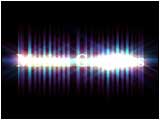
It will complete if you composite the Material of STEP 2-4.
Apply "Lens Flare" as a dessert.
In a certain system, such Glow effects are called "Glint"